CostaBox
PCs Built with Modern Users in Mind
Mini tower desktops with Costa OS, Windows 11, or no OS. Gaming, development, content creation, and local LLM inference in one affordable box. AM4 Ryzen platform, dedicated GPUs, and your choice of operating system. Costa OS builds include voice control, local model routing, and agent navigation out of the box.
2
Configurations
$999
Starting Price
Costa OS
Pre-installed
mATX
Mini Tower
What Makes It Different
Not just a PC with Linux on it. Costa OS is a purpose-built environment for people who use AI daily.
Local LLM Out of the Box
Ollama pre-configured with Vulkan backend. Models download and run with one command. No cloud API keys needed for basic inference.
Voice Control
Push-to-talk voice assistant with Whisper transcription, smart routing between local and cloud models, and system-wide control.
Agent Navigation
Costa OS's proprietary AT-SPI navigation lets AI agents interact with any application. Claude Code has full system knowledge.
Gaming Ready
Modern GPU with Vulkan/DXVK for native and Proton gaming. Steam, Lutris, and Heroic work out of the box on Arch Linux.
Development Environment
VS Code, Docker, pyenv, nvm, SDKMAN pre-configured. JetBrains Mono Nerd Font, Hyprland compositor, tiling window management.
Fraction of the Price
Quality new components at fair margins. No bloatware, no Windows license cost, no enterprise markup. You own it outright.
Choose Your Build
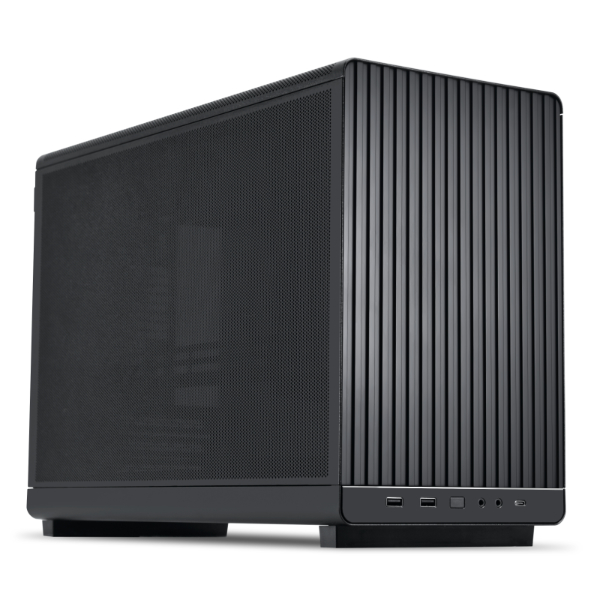
CostaBox
Gaming, development, and local LLM inference in one box
AI Sweet Spot
7B-13B models with CUDA acceleration
Configurable
- +CPU: Ryzen 5 5500 (6-core, standard) / Ryzen 5 5600 (6-core, faster clocks)
- +RAM: 16GB DDR4 3200MHz (standard) / 32GB DDR4 3200MHz
- +Storage: 480GB NVMe (standard) / 1TB NVMe
- +WiFi: None (Ethernet only) / WiFi 6 PCIe card
- +OS: Costa OS (included) / Ubuntu 24.04 LTS / Windows 11 Home / No OS (bare metal)
CostaBox Pro
RDNA 4 + Costa OS: Gaming, AI, and development flagship
AI Sweet Spot
7B-13B models with 16GB headroom for context
Configurable
- +CPU: Ryzen 5 5600 6-core (standard) / Ryzen 5 5600X 6-core (higher boost clocks)
- +RAM: 16GB DDR4 3200MHz (standard) / 32GB DDR4 3200MHz
- +Storage: 480GB NVMe (standard) / 1TB NVMe / 2TB NVMe
- +WiFi: None (Ethernet only) / WiFi 6 PCIe card
- +OS: Costa OS (standard) / Ubuntu 24.04 LTS / Windows 11 Home / No OS (bare metal)
All prices are computed from tracked component costs with published markup. See how we price every build →
Frequently Asked Questions
Common questions about CostaBox builds.
What is Costa OS?
Can I play games on CostaBox?
What LLM models can I run on CostaBox?
Can I install Windows instead of Costa OS?
How is CostaBox different from building my own PC?
Does CostaBox come with a monitor, keyboard, or mouse?
Need More GPU Power?
The Synoros Foundry lineup offers dedicated GPU servers from 16GB to 768GB VRAM for inference, training, storage, and compute. Multi-GPU workstations starting rackmount servers from $4,999.
Browse Foundry Servers